
7 Email Marketing Tools That Actually Make Life Easier
I’ll be honest with you, email marketing can feel like one of those chores that lingers in the background until guilt finally pushes you to deal with it. You know it matters. You know it’s probably the best way to build a direct connection with your audience. But the reality of juggling spreadsheets, clunky editors, and half-broken automations? Not exactly inspiring. I’ve spilled coffee on my keyboard more than once while trying to fix a campaign at midnight, wondering why I ever thought this was a good idea.
The thing is, email marketing doesn’t have to be a headache. With the right tools, it can actually feel lighter. Less like another brick on your to-do list and more like something that quietly works in the background, giving you space to breathe. I’ve tried quite a few tools over the years, and these are the ones that save the most time, prevent embarrassing mistakes, and even make the process a little enjoyable.
1. A scheduling sidekick you can actually trust
If you’ve ever sent a campaign at the wrong time, you know the pain. I once accidentally sent a sales email to my entire list at three in the morning. The subject line was “Last chance,” and a few people replied with “It’s literally 3 am.” Not my finest moment.

That’s why I love Publer. Even though it’s mainly for social media scheduling, it works beautifully when you want your emails to align with your wider content strategy. Instead of bouncing between tools, you can set things up in one place. The Canva integration is surprisingly handy too. Instead of saving ten different draft graphics on my desktop, I just create inside Publer and move on.
There’s something reassuring about opening a calendar view and seeing your whole week planned out. No panic, no “oh no I forgot that launch,” just a neat overview that lets you breathe a little easier.
2. Keeping your data clean without headaches
The unglamorous truth of email marketing is that it often starts with messy CSV files. Lists from different platforms, duplicates, random blank cells, columns that don’t line up. It’s a recipe for mistakes. I once sent the same welcome email twice to someone because their name appeared on my list under two slightly different spellings. Embarrassing, and completely avoidable.
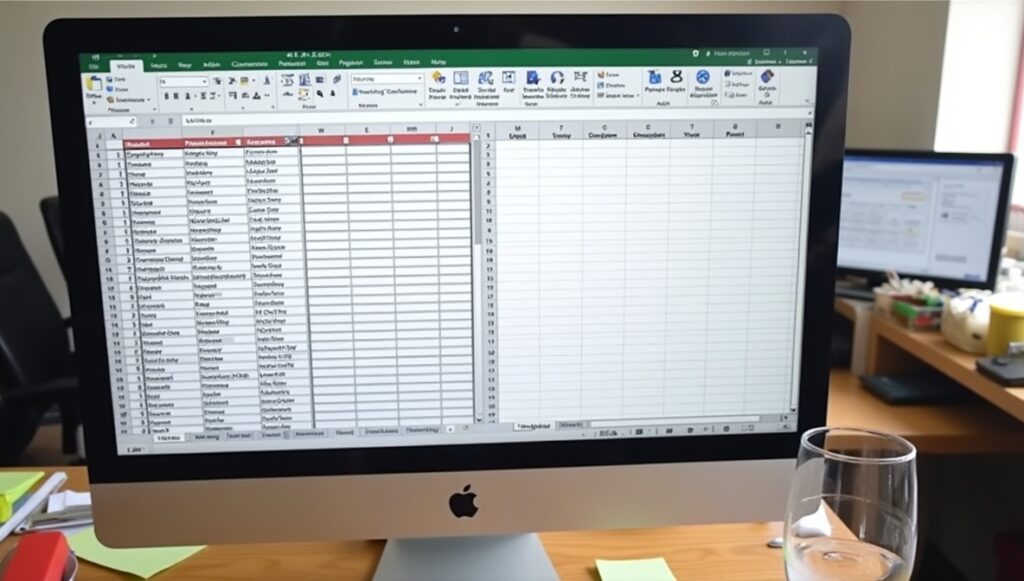
That’s why MergeMatic CSV is a lifesaver. Drag your files in, click a button, and suddenly everything lines up. Duplicates vanish, empty rows get cleaned, and you’re left with a file that actually makes sense. It’s one of those tools that doesn’t sound exciting until you’ve lived without it. Then, when you finally try it, you wonder why you wasted so many weekends fixing spreadsheets by hand.
It’s not glamorous, but neither is sending a broken campaign because your list was messy.
3. When your email strategy spills into Pinterest
This one might sound sideways at first, but stick with me. Email lists grow faster when you feed them with traffic from other places, and Pinterest is one of the best. If you’re using Pinterest to get signups, optimizing your pins is just as important as crafting the perfect email.

The Pinterest SEO Checklist is a free guide that walks you through exactly how to set up your boards and pins so they rank. It’s practical stuff, like writing pin titles that actually show up in search and avoiding small mistakes that kill your reach.
I tried it on one of my side projects, a little blog about simple recipes. After a month of tweaking my pins with the checklist, my email signups doubled. Nothing fancy, just consistent traffic paired with a signup form that actually got seen.
4. Automating the research nobody has time for
Keyword research is the part of Pinterest that always made me want to close the tab. Endless guessing, hoping I picked the right words, only to find out my pins went nowhere. That’s why I started using the Pinterest Annotation Scraper & Pin Description Generator.

It pulls annotations directly from Pinterest and builds descriptions automatically. Instead of squinting at competitors’ pins, you just get a ready-made list of what works. The first time I used it, I generated fifty pin descriptions in less than an hour. Normally that would have taken me an entire afternoon.
And here’s the tie-in with email. When your pins get more reach, your opt-in pages get more clicks, which means more people on your list. No more wasting hours on guesswork.
5. Learning the traffic game properly
When I first dipped into Pinterest, I thought “just pin pretty things and traffic will come.” It doesn’t work that way. You need strategy, and that’s exactly what Pin to Win delivers.

It covers everything from keyword mastery to pin scheduling, and it even shows you how to use AI tools to create graphics. The most helpful part for me was the scheduling advice. I used to pin whenever I remembered, which meant bursts of activity followed by weeks of silence. Once I started following the plan from the guide, my traffic actually became consistent, which meant my email list grew steadily instead of in random spikes.
It’s like finally having a recipe instead of throwing ingredients into the pan and hoping dinner turns out edible.
6. Speeding up the indexing game
If you’ve ever created a landing page for email signups and then sat there waiting weeks for Google to notice it, you’ll understand how frustrating slow indexing can be. I remember refreshing my analytics for days, wondering why no traffic was showing up. Turns out Google hadn’t even indexed the page yet.

That’s where SpeedyIndex helps. It speeds up the process of getting your content and backlinks into Google’s index. The faster Google knows your page exists, the faster people can actually find it. And the faster they can find it, the sooner your email signup form starts working.
It’s not flashy, but it solves a real pain point.
7. Digging deeper into what actually works
At some point, you’ll want to stop guessing and start looking at real data. That’s where Pin Inspector comes in. It gives you a look behind the curtain on Pinterest. You can see what’s trending, what competitors are doing, and which keywords are pulling weight.

I like to use it when planning my monthly email themes. If I see a spike in searches for “cozy fall recipes,” I know it’s a good time to create a pin that drives traffic to a fall recipe ebook, with an email signup attached. Then, once people are on my list, I send a series of emails that match that exact interest. It feels more natural, like continuing a conversation instead of shouting random things into the void.
Wrapping it all up
Email marketing doesn’t have to feel like wrestling with spreadsheets or patching together broken automations. With the right mix of tools, you can make the process smoother, smarter, and honestly, a bit more enjoyable. Some of these tools directly improve your emails, while others feed the funnel that brings new people onto your list. Together, they reduce headaches and help you focus on what actually matters, which is building relationships with the people who sign up.
And if nothing else, at least you won’t be stuck on a Saturday night cursing at a CSV file that refuses to behave.
Here’s to fewer messes, more signups, and emails that actually get read.


